If you need to store payment in our Customer Portal please use the following steps.
Login to the portal here: Login to Portal Here
Step 1: If this option was activated on your account, you should see a "Stored Payment Options" click on the Manage button as shown below.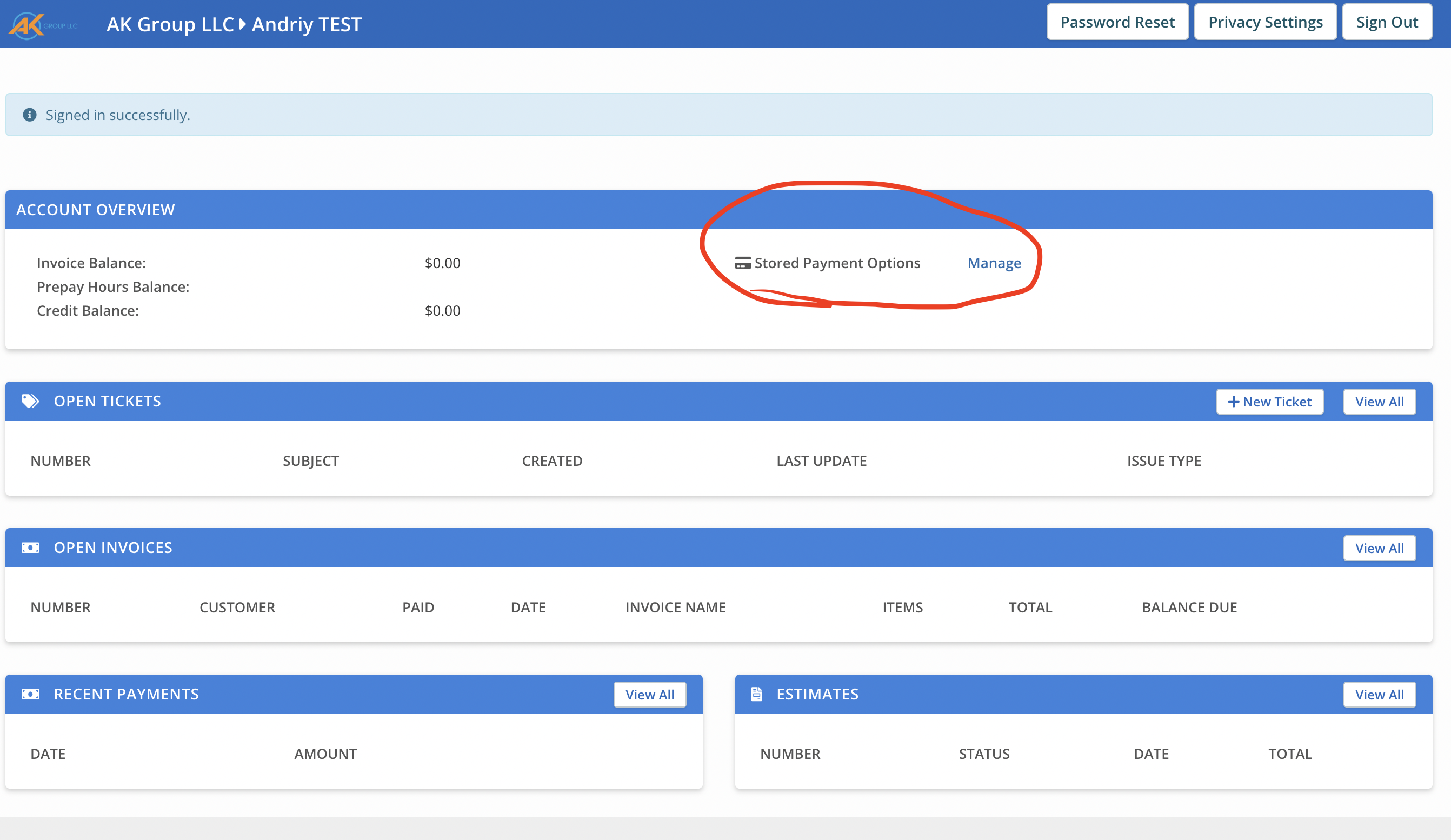
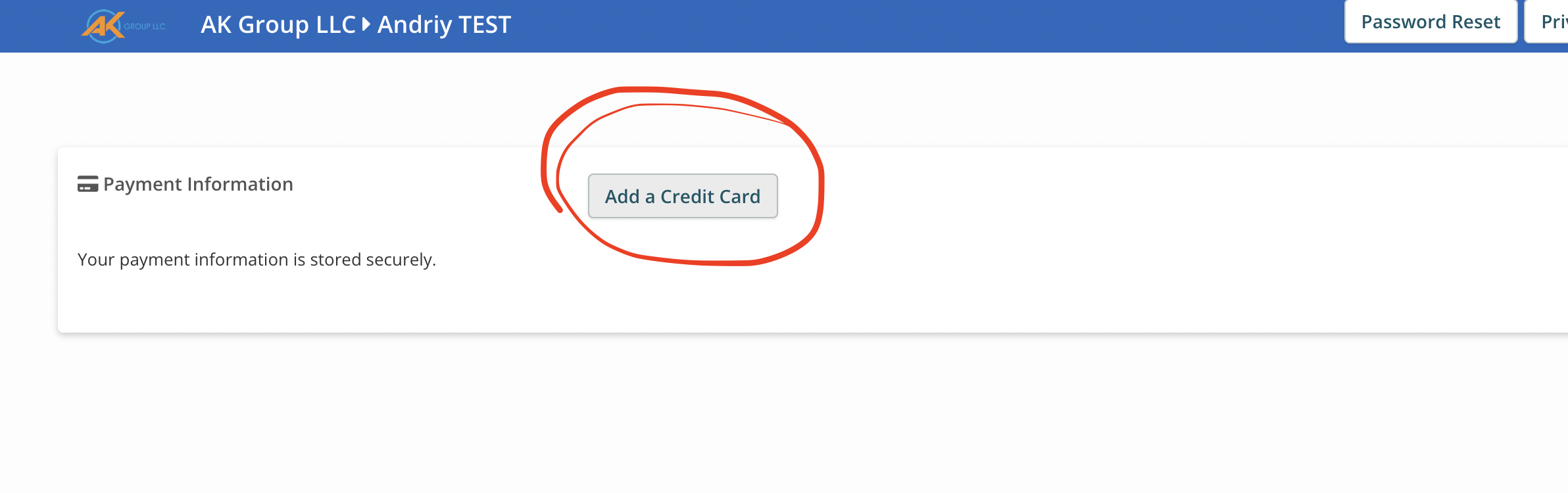
Step 2: Press Add a Credit Card button and add your payment info. The payment is processed by Stripe and we do not save any of your credit card information as per PCI Laws.
Was this article helpful?
That’s Great!
Thank you for your feedback
Sorry! We couldn't be helpful
Thank you for your feedback
Feedback sent
We appreciate your effort and will try to fix the article